IMAGES-STRUCTURING WEBSITES

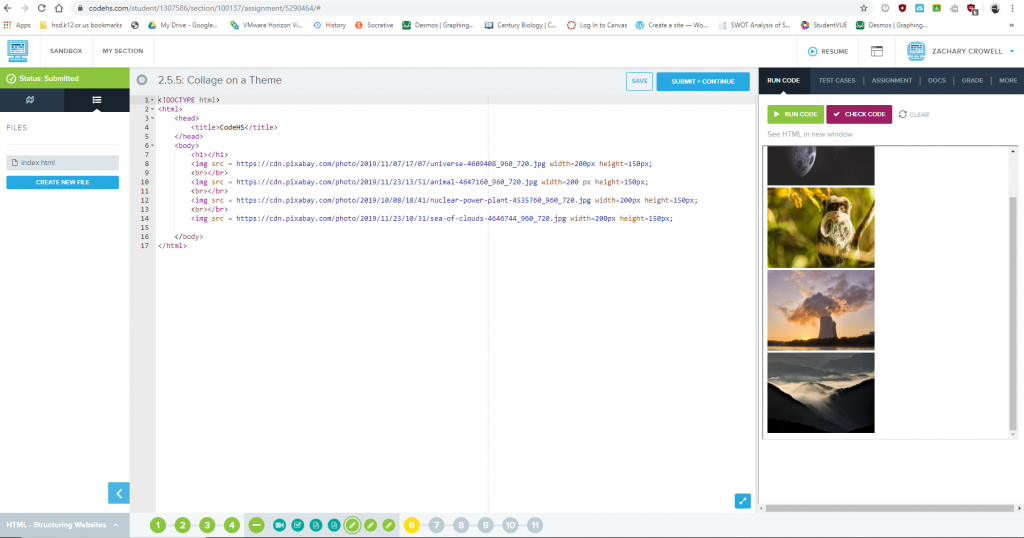
This one of the more recent lessons I did in CodeHS. This lesson was about images and how to implement them into to code. I had some difficulty regarding this particular lesson displayed above because of break tags. I could not figure out the lesson because it required a certain thing with break tags, which is extremely annoying because it was not taught to me earlier. I managed to get help from a friend who helped me figure it out.

Monday, 12/2/2019

  • Today, we will be doing a lesson on why some certain web pages are broken. we will be learning how to fix these broken web pages while also using word wall and sentence frames? Regardless we will be learning something today that will be useful. To learn these things that I have listed, we will be doing a ed puzzle. Once we are done we are to go on to code HS and hopefully finish our lesson. These “lessons” are extremely are annoying because all we have to do is spit stuff out about what we just saw and or think about the question and figuring it out without even watching a video, than we are normally given an example that is kind of pointless, then we have to do some code that is extremely difficult because 1 we didn’t really learn how to code the required things and have to figure them out or 2 its stuck in box mode.
    – on a side note, Mr. Winikka will be gone for the next two days and we will have a sub to “monitor” what we do

Tuesday 11/26/2019

Daily Entry:

  • work time on code HS
  • recap of CSS concepts
  • Take time to craft a word press post on the CSS concepts of your styling Images Project
  • Set up work space

HTML Concepts:

Reflection:

Some CSS code and need to knows mainly revolving around images and text.

CSS: The Box Model

Content:

  • this is whatever is inside the tag
  • your text, table, list item, cell, etc.

Width:

  • this is the width of the content
  • inside padding and border

Padding:

  • the space between the content and the border

Border:

  • you can set color, style, and thickness

Margin:

  • this setting “pushes” your content away from other block elements
  • Margin is considered invisible

Box Model Properties and Values

  • width

self explanatory

  • padding

padding right, padding, left, p

  • borders

border width, border style, border style

  • margin

code samples:

  • Max-width: 200 pixels;
  • Float: right;
  • border: 1 pixels solid #336699;
  • padding: .5 em;
  • margin: 0 0 .5 em .5 em ;
  • background-color: rgb (200, 200, 200);
  • border-radius: 10 pixels;

box-shadow: 10 pixels 10 px

border radius – creates rounded corners(with multiple values from top-left corner clockwise

padding – with just 1 values sets it on all four sides of the content

margin – goes outside of the borders and is invisible

1vw – 1% of the screen width

1vh – 1% of the screen height

-negative box shadow does not exist.
Friday, 11/22/2019

-set up work environment

-log in to CodePen.io

-discuss floats,box models

-demo on styling an image

-work time

Reflection: Added some more code to CSS section of the codepin.io. I need to fix the HTML stuff if I am to continue. I got to the img section or the images and how to insert them. I worked mainly on the codepin.io project called styling images. here’s the link: https://codepen.io/crowz393/pen/KKKEqNb.